mPWRD-OS provisioning
A board with no Ethernet port needs another way onto the network the first time it boots. mPWRD-OS offers two, and which one applies depends on the board. Board support lists the setup methods for each.
Bluetooth provisioning
Raspberry Pi (64-bit) boards accept Wi-Fi credentials over Bluetooth, handled on the board by nymea-networkmanager.
The Meshtastic Flasher sends the credentials. Its Bluetooth entry appears only in a browser that supports Web Bluetooth, which in practice means a Chromium-based browser.
-
Flash the image to your board and power it on.
-
Open the Meshtastic Flasher and select mPWRD-OS Tools, then BLEBLE (Bluetooth Low Energy). The default wireless connection between a node and a phone client. WiFi Provisioning.

-
Select Connect to BLEBLE (Bluetooth Low Energy). The default wireless connection between a node and a phone client. Device and choose your board.
-
Select Scan for Networks, choose your network under Available Networks, and enter its Password.
-
Select Apply. The Flasher reports when the credentials have been applied.
-
Connect to the board over SSH.
Web provisioning
The Luckfox Lyra Zero W and the Luckfox Lyra Ultra W start a temporary hotspot instead, served by armbian-web-config.
-
Flash the image to your board and power it on.
-
Connect a Wi-Fi capable device to the
armbiansetupnetwork, using the passwordarmbian1234. -
Open
http://10.42.0.1:8080. The Armbian Setup wizard opens on its first step.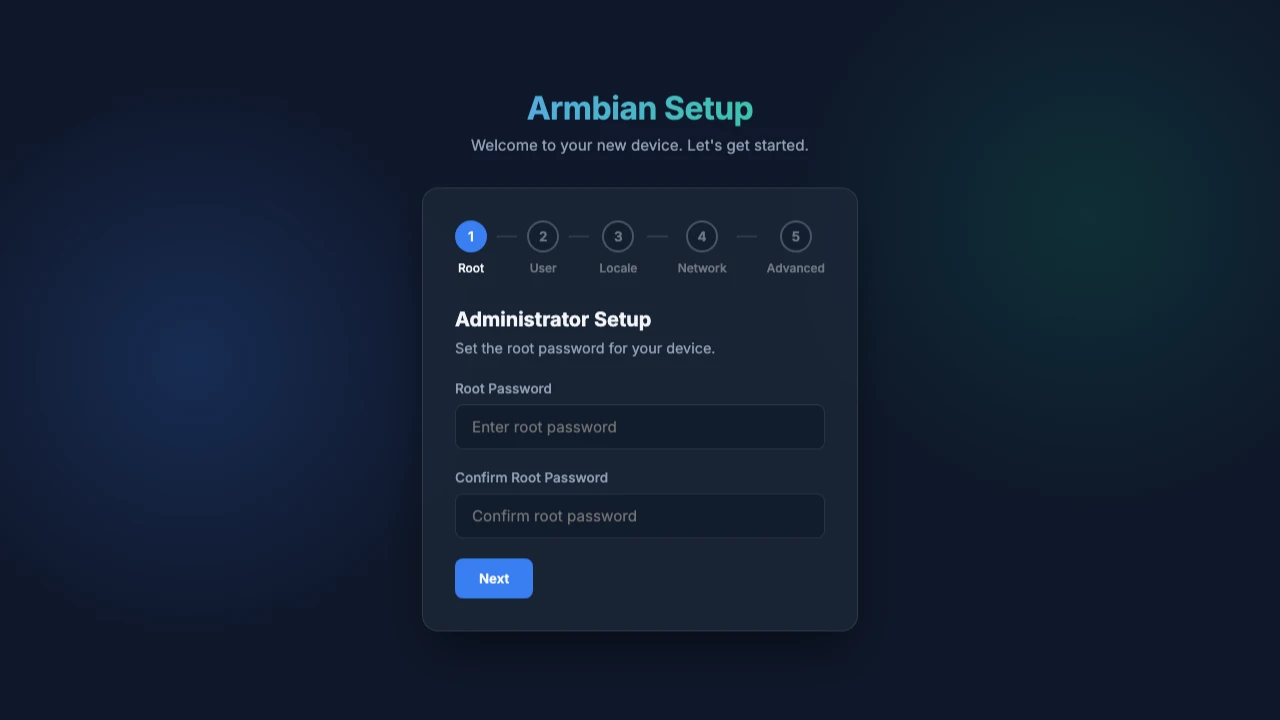
-
Work through the wizard's five steps: Root, User, Locale, Network, and Advanced.
-
Connect to the board over SSH.
The wizard sets the root password at its first step, so the default credentials do not apply to a board set up this way.
The hotspot name and password are the same on every board, so anyone in range can open the wizard on a board that has not been set up. Whoever reaches the first step sets the root password, so power on the board only where you control physical access. Do not leave it unattended before setup is complete.